How to Build a Simple Chatbot: A Project Guide for Ages 10–14
This guide helps kids ages 10-14 learn to build their very own chatbot, enhancing their coding skills while providing a fun and engaging project.
Why Chatbots Are the Perfect First AI Project
If you're looking for a hands-on way to introduce a young learner to artificial intelligence, building a simple chatbot is one of the most rewarding places to start. Chatbots are relatable — children already interact with them through games, homework helpers, and customer service pop-ups — and they're just complex enough to feel genuinely impressive when they work.
For learners aged 10–14, a chatbot project sits in a sweet spot. It's accessible enough to build in a single afternoon, yet rich enough to spark real conversations about how AI systems actually think, respond, and sometimes get things hilariously wrong. Whether you're a parent setting up a weekend project or an educator planning a technology unit, this guide will walk you through everything you need to get started.
What Is a Chatbot, Really?
Before writing a single line of code, it helps to understand what a chatbot is doing under the hood — and to explain it to your young learner in plain terms.
At its simplest, a chatbot is a program that receives a text input and produces a text output. Early chatbots (like the famous ELIZA from the 1960s) did this using pattern matching: if the user types something containing the word "hello," the bot replies "Hi there!" More modern AI chatbots use large language models to predict what a helpful response might look like — but the fundamental idea of listening and responding remains the same.
For a first project, starting with a rule-based chatbot is ideal. It demystifies AI by showing children that intelligent-seeming behaviour can emerge from clear, logical instructions they write themselves.
Parent tip: Ask your child, "What makes a chatbot seem smart?" before you start. You'll be surprised how much thinking this question unlocks.
What You'll Need Before You Begin
Tools and Platforms
The good news is that this project requires very little setup. Here are three age-appropriate options:
- Scratch (scratch.mit.edu) — Ideal for ages 10–11. Scratch's broadcast and sensing blocks can simulate basic conversational logic with no typing of code required.
- Python (with IDLE or Thonny) — Better for ages 12–14. A simple chatbot can be built using nothing more than
statements and aif/elif/else
loop.while - MIT App Inventor — A great middle ground if your child wants to build a chatbot that lives on a mobile device.
At GenAI Kids, we recommend starting with Scratch if your learner is newer to coding, and graduating to Python once the core logic feels comfortable. Our structured project pathways walk students through both environments step by step.
What Your Child Should Already Know
Your child doesn't need to be a coding expert, but a basic familiarity with either Scratch blocks or Python variables will make the experience smoother. If they've completed a beginner coding course, they're likely ready to go.
Building the Chatbot: A Step-by-Step Overview
Step 1 — Define Your Chatbot's Personality and Purpose
The most engaging chatbots have a clear identity. Encourage your child to ask:
- What is my chatbot for? (A quiz bot? A joke-teller? A homework helper?)
- What's its name and personality?
- Who will use it?
Giving the chatbot a purpose makes every design decision easier. A "Space Facts Bot" named Cosmo will need very different responses than a "Daily Joke Bot" named Chuckles.
Step 2 — Map Out the Conversation Flow
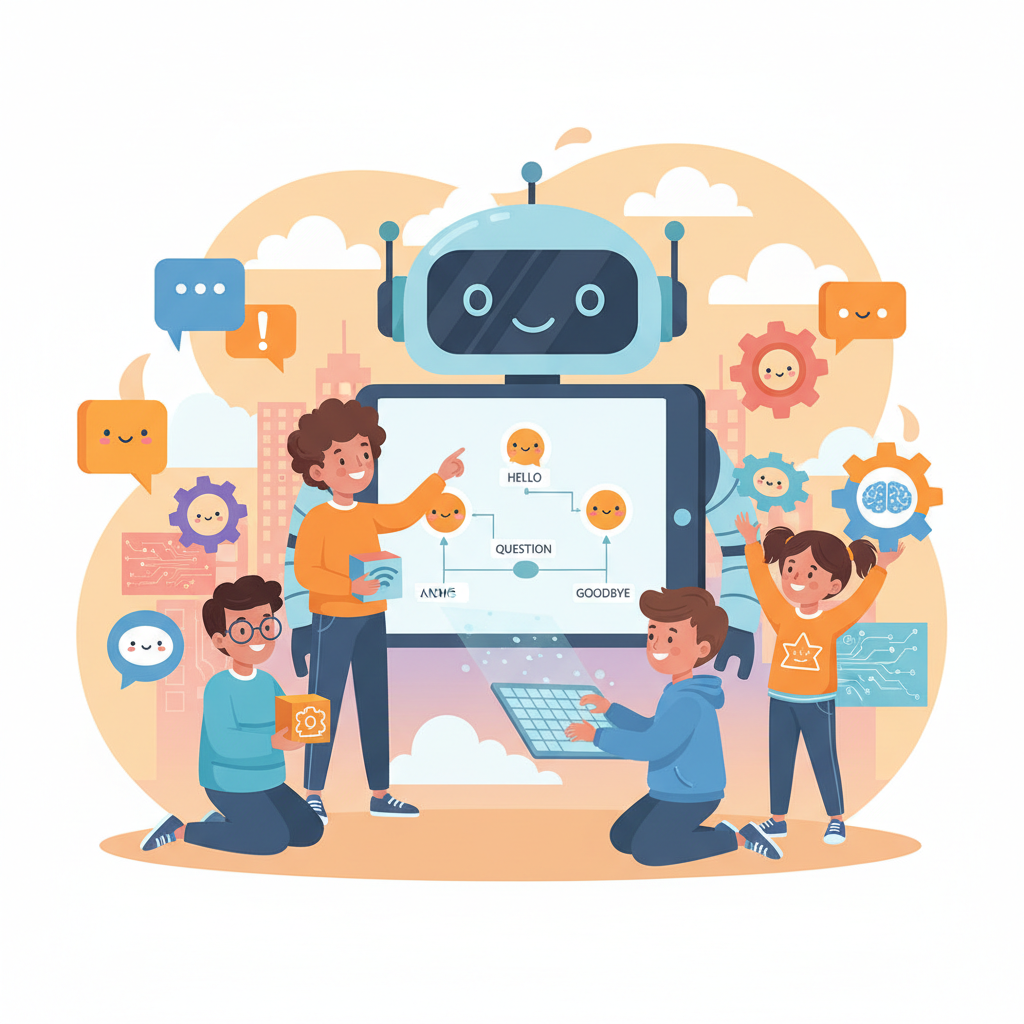
Before touching a keyboard, grab paper and sketch a simple conversation tree. What might a user say first? What are three or four likely responses? What should the bot say if it doesn't understand the input?
This planning stage teaches something genuinely valuable: AI design is mostly human design. Someone decided what the chatbot would know and how it would respond. That someone can be your child.
Step 3 — Write the Logic
In Python, a basic chatbot might look something like this:
name = input("What's your name? ")
print(f"Hello, {name}! I'm Cosmo, your space facts bot.")

while True:
    user_input = input("Ask me anything about space: ").lower()
    if "planet" in user_input:
        print("There are 8 planets in our solar system!")
    elif "star" in user_input:
        print("The Sun is a medium-sized star — there are billions more!")
    elif "quit" in user_input:
        print("Goodbye, explorer!")
        break
    else:
        print("Hmm, I'm still learning. Try asking about planets or stars!")
This tiny snippet already demonstrates conditionals, loops, string handling, and graceful error responses — core concepts that map directly onto how real AI systems are designed.
Step 4 — Test, Break, and Improve
Testing is where the real learning happens. Encourage your child to try to confuse the chatbot. What happens if they type in capitals? What if they misspell a word? Each failure is a feature request in disguise.
This iterative process mirrors professional AI development more closely than any textbook exercise can. At GenAI Kids, we call this the "build–break–rebuild" loop, and it's where learners often have the most fun.
Practical Tips for Parents and Educators
- Set a time boundary. A focused 90-minute session often produces better results — and more enthusiasm — than an open-ended afternoon.
- Celebrate the "wrong" answers. When the chatbot fails, treat it as discovery, not failure. Ask, "Why did it say that? How could we fix it?"
- Connect it to the real world. Show your child a real chatbot (like a retail website's help assistant) and ask them to spot similarities with what they built.
- Extend the project. Once the basics are working, challenge older learners to add a scoring system, import random responses from a list, or research how to connect their bot to a simple API.
- Display the work. Whether it's a class demo or a family presentation, giving children an audience for their chatbot dramatically increases their sense of pride and ownership.
Key Takeaways
- A rule-based chatbot is an ideal first AI project for children aged 10–14, requiring minimal setup and delivering maximum "wow" factor.
- Defining purpose and mapping conversation flows before coding teaches critical design thinking.
- Python's
logic and Scratch's sensing blocks both offer age-appropriate entry points.if/elif/else - Testing and debugging are not just technical skills — they build resilience and analytical thinking.
- The project naturally opens conversations about how real AI systems work, setting the foundation for deeper learning.
Ready to Go Further?
Building a chatbot is just the beginning. Once your child has experienced the thrill of creating something that talks back, their curiosity about AI will be hard to contain — and that's exactly where you want them to be.
GenAI Kids offers guided project courses, video walkthroughs, and a supportive community of young AI builders that can take your child from their first chatbot all the way to more advanced machine learning concepts. Browse our student project pathways at genaikiids.com and find the right next step for your learner.
The best time to build something brilliant is right now — and your child already has everything they need to start.
Ready to Start Learning AI?
Join thousands of kids on GenAI Kids — free beginner lessons, no card needed.