How to Set Safe Boundaries for Kids Using AI Chatbots: Simple Examples for Kids
Learn practical ways to help your kids navigate interactions with AI chatbots, ensuring their safety while fostering independence and confidence.
Why AI Chatbot Safety Starts With You
Artificial intelligence chatbots are no longer a distant, futuristic concept — they're sitting in our children's pockets, accessible through tablets, laptops, and school devices right now. Tools like ChatGPT, Google Gemini, and others have become part of everyday life for curious kids who use them for homework help, creative writing, and endless questions about the world.
That's genuinely exciting. But it also means parents and educators need to step in with clear, thoughtful guidance before children dive in unsupervised.
Setting safe boundaries for kids using AI chatbots isn't about fear — it's about empowerment. When children understand how to use these tools wisely, they build critical thinking skills that will serve them for life. Think of it the same way you'd approach teaching road safety: the goal isn't to keep children off the road forever, it's to make sure they know how to cross it safely.
Understanding What AI Chatbots Can (and Can't) Do
Before you can set meaningful boundaries, it helps to understand what these tools actually are — and where they fall short.
They're impressive, but not infallible
AI chatbots are trained on enormous amounts of text data and can produce fluent, confident-sounding responses. However, they can and do make mistakes. They may present incorrect information as fact, fail to understand context, or occasionally generate responses that are inappropriate for younger audiences.
Children, especially those under 10, often struggle to distinguish between a chatbot "knowing" something and a chatbot "generating a plausible-sounding answer." This is a critical gap that adults need to bridge through conversation and education.
They remember (and sometimes don't)
Depending on the platform, chatbots may store conversation history. Children should understand that typing personal information — full name, school, address, age, or photos described in detail — into a chatbot is not the same as whispering a secret to a friend. It's more like writing it on a noticeboard.
Practical Boundaries to Set Right Now
Here's where things get actionable. These boundaries are simple to explain, easy to reinforce, and genuinely effective.
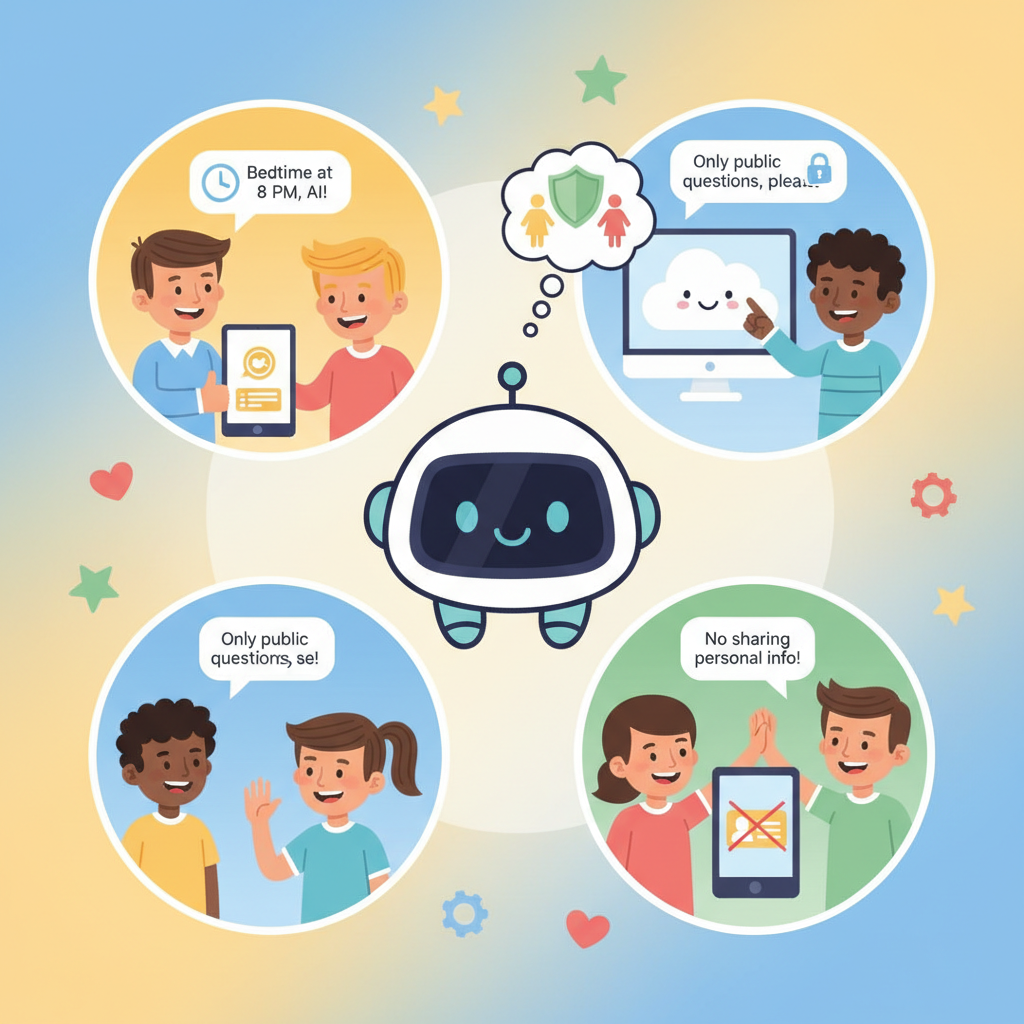
1. The "No Personal Information" Rule
Teach children this mantra: "Chatbots don't need to know who I am."
A child asking a chatbot how volcanoes work doesn't need to share their name. A student using AI to brainstorm a story doesn't need to mention their school. Practise this rule together by role-playing: ask your child to show you how they'd start a chatbot conversation and gently correct any habit of self-disclosure.
Simple example to share with kids:
❌ "Hi, I'm Sophie, I'm 9 and I go to Greenfield Primary. Can you help me with my science homework?" ✅ "Can you explain how volcanoes erupt in simple words for a 9-year-old?"
2. The "Check It With a Human" Rule
Tell children that AI answers are a starting point, not the final word. Establish a household or classroom habit: whenever a chatbot provides a fact, it gets verified — with a book, a trusted website, or a knowledgeable adult.
This builds healthy scepticism without breeding distrust of technology. It also naturally encourages children to engage with multiple sources of information, which is a foundational academic skill.
3. The "Screenshot Before You Share" Rule
If a child wants to share something a chatbot produced — a poem, a piece of advice, an image description — make it a rule that a parent or teacher sees it first. This creates a low-pressure checkpoint without making children feel policed.
4. The "Uncomfortable Conversations Belong With Humans" Rule
Children sometimes use chatbots to ask questions they feel too embarrassed to ask adults — about relationships, bodies, or difficult emotions. While this shows resourcefulness, AI chatbots are simply not equipped to handle sensitive pastoral conversations.
Establish clearly: "If it's something that makes you feel worried, sad, or confused, you bring it to me — not a chatbot." Make yourself genuinely available for those conversations so children feel safe choosing the human option.
How to Have the Conversation With Your Child
Setting rules works best when children understand the why behind them. Here's a simple framework for talking about AI safety at home or in the classroom:
For younger children (6–9): Use analogies. "A chatbot is like a very fast library — it can find lots of words, but it doesn't actually understand your life or know what's best for you."
For tweens (10–12): Invite curiosity. Ask them to find one thing the chatbot gets wrong this week. Turn it into a challenge rather than a warning.
For teenagers (13–16): Respect their intelligence. Talk about AI bias, data privacy, and the commercial interests behind free AI tools. Platforms like GenAI Kids offer age-appropriate resources specifically designed to help older children engage critically with AI, rather than simply consuming it.
Creating a Safe Environment for AI Exploration
Rather than restricting access entirely, consider creating structured opportunities for children to explore AI with your involvement.
- Set up a shared device or account where AI chatbot use happens in a common space, not behind closed bedroom doors.
- Co-use AI tools together at least occasionally — ask a chatbot a question together and discuss the answer as a family or class.
- Use purpose-built platforms designed with child safety in mind. GenAI Kids was built specifically so that children can learn about and interact with AI concepts in a safe, structured, and age-appropriate environment.
- Revisit the rules regularly. A 7-year-old and a 12-year-old need different boundaries, and what's appropriate will evolve.
Key Takeaways
- AI chatbots are powerful learning tools, but they require adult guidance to use safely.
- Children should never share personal information with AI chatbots.
- Build a habit of fact-checking AI responses with a trusted source.
- Create an open environment where children feel comfortable bringing sensitive questions to a human, not a machine.
- Tailor your safety conversations to your child's age and maturity level.
- Use structured, child-safe platforms like GenAI Kids to introduce AI learning with appropriate guardrails.
- Review and update your household or classroom AI rules regularly as the technology evolves.
The Bottom Line
AI chatbots aren't going away — and that's actually a good thing, when children learn to use them well. Your role as a parent or educator isn't to be the gatekeeper to technology, but to be the guide who helps children navigate it with confidence, curiosity, and good judgement.
Start the conversation today. Set simple, clear boundaries. And explore trusted resources together so that your child grows up not afraid of AI, but genuinely capable of understanding it.
Ready to take the next step? Explore GenAI Kids for structured, safe AI learning experiences designed for children aged 6–16.
Ready to Start Learning AI?
Join thousands of kids on GenAI Kids — free beginner lessons, no card needed.